My Premise Health
- 4.5
- Rating
- 100.00K
- Installs
- Free
- Price

 Analysis by App-foxy
Managing healthcare often feels harder than the appointment itself. There may be messages to check, details to remember, and information to find when I am already busy or worried. My Premise Health is designed to put those health-related tasks in one mobile place, and after spending time with it, I see the appeal clearly: it is less about entertainment or constant engagement and more about reducing the small bits of friction around everyday care.
This is a free medical app from Premise Health Holding Corp, available for an Everyone audience. It has been around since October 6, 2017, and the current release is version 11.7.3. Its overall reception is encouraging, with a 4.5 average from around 1.3 thousand ratings and more than 100 thousand installs. Those figures suggest that it has found a practical audience, although they do not replace the question that matters most: whether it fits the way you receive healthcare.
How My Premise Health feels in everyday use
My first impression is that this is the kind of app I would open with a specific purpose. I would not install it to browse casually. I would use it when I need to look at health information, prepare for a visit, or deal with a task connected to my care. That focused role is a strength because a medical app should not make me hunt through decorative screens before reaching something important.
You May Also Like

 Blood Strike: 2.5 Anniversary
Blood Strike’s Loadouts Turn Every Drop Into a Tactical Gamble
A close look at Blood Strike’s custom loadouts: how fast access to signature weapons reshapes its battle royale rhythm, rewards preparation, and narrows the gap between fights.

 Pandora - Music & Podcasts
Pandora’s Music Is Easy to Start, but Harder to Recover
Pandora’s strength is its low-effort path from a seed to a station. Its weak spot is how much confidence it asks you to place in connection, setup, and quiet recovery.

 8 Ball Pool
 Is Built on Rivalries, Rematches, and Routine
A close look at the rivalries, rematches, shared routines, and unanswered safety questions that turn a quick pool match into a persistent mobile community.

 Samsung Music
’s Quiet Strength Is Playing What You Already Own
Its reach comes less from spectacle than from dependable access to a personal library. That simplicity is both the app’s strongest retention engine and its ceiling.

 AccuWeather: Weather Radar
AccuWeather Review: A Quick, Clear Forecast for Everyday Decisions
For everyday plans, the best forecast is the one you can understand quickly. AccuWeather makes rain timing, radar, and local conditions easy to act on, with a few trade-offs.

 Hill Climb Racing
Why Hill Climb Racing Still Turns Crashes Into One More Run
A tiny car, a bumpy hill and one more upgrade: Hill Climb Racing keeps resurfacing because its simple chaos makes every near-miss feel personal.
More From Our News Desk



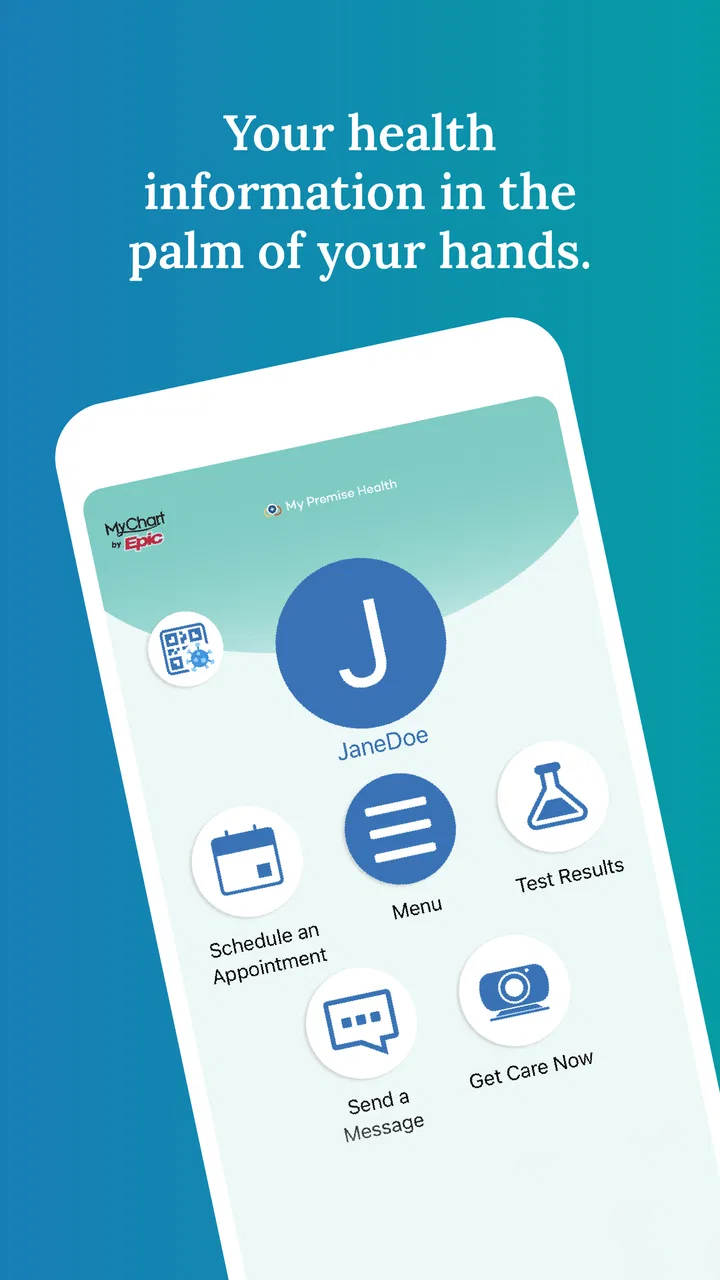
The store summary describes the app as putting health information in the user’s hands, and that is a useful way to understand its position. It is not trying to replace a doctor, diagnose a problem, or turn a phone into a complete medical service. Instead, it acts as a convenient access point for people whose care is connected with Premise Health.
That last point is important. The app makes the most sense when my healthcare relationship already involves Premise Health. If I am looking for a general symptom checker, a standalone medication reminder, or a broad health-tracking tool, this would not be my first choice. Its value comes from connecting me with information and services associated with a particular healthcare environment, rather than from offering every possible medical feature.
Speed expectations during a normal visit
For a normal session, I expect the app to feel best when I already know what I want to do. Opening it before an appointment, checking a message, or reviewing a piece of health information should be a short interaction rather than a long browsing session. In my experience, that kind of focused design is more useful than a crowded dashboard filled with options I rarely need.
There is also a practical benefit to keeping the app installed even if I use it infrequently. Healthcare tasks are often irregular. I might not need the app for weeks, then suddenly want it before a consultation or when I am away from home. A dedicated access point is easier than trying to remember which website, phone number, or paper document contains the information I need.
My advice is to open the app before an important appointment instead of waiting until I am sitting in a waiting room. That gives me time to sign in, check that the app is working on my device, and find anything I may want to show or discuss. The tip sounds simple, but it avoids turning a useful health tool into another source of last-minute stress.
What happens when I use it heavily
Heavy use for this app does not mean streaming video or playing a demanding game. It means moving through several health-related tasks in one sitting, perhaps while preparing for a visit or organizing questions for a clinician. In those moments, the main performance concern is not graphics or battery drain; it is whether the app keeps the process understandable and whether I can return to the right place without losing track of what I was doing.
This is where I would keep my expectations realistic. A healthcare app may depend on account access and connected services, so the experience can feel different from a simple offline notes app. If a page takes time to load, or if a session needs attention after I have been away, that is more frustrating in a medical context because the information feels important. I would avoid starting a complicated task when I have only a minute before an appointment.
A realistic scenario is preparing for a routine visit during a lunch break. I might open the app, review the information available to me, note a question I want to ask, and then close it before returning to work. That is a good use case because the app supports preparation without requiring a separate folder of documents. If I needed to compare many records, write extensive notes, or manage care across unrelated providers, I would probably combine it with a secure notes system or the relevant provider tools rather than expect one app to handle everything.
Another useful habit is to treat the phone as an access point, not the only place where important information exists. For urgent symptoms, I would contact an appropriate medical service directly instead of waiting for an app screen. For a complex health history, I would also keep a personal record of key details that I may need when speaking with a provider outside the Premise Health setting.
Stability matters more than visual polish
Medical software earns trust through consistency. I care less about flashy transitions than I do about being able to open it, understand where I am, and reach the information connected to my care. The strong average rating indicates that many users find the app useful, but my own standard is stricter: a healthcare app should remain predictable when I am tired, distracted, or concerned.
In regular use, I would judge stability by a few practical questions. Does the app open without unnecessary delay? Does it preserve my place when I move between tasks? Does it make clear whether an action succeeded? Can I tell the difference between information that is already available and something that still needs attention? These details matter because uncertainty is especially unwelcome when dealing with appointments or health records.
I would also keep the app updated. The current version is 11.7.3, and staying current is a sensible way to benefit from maintenance and compatibility improvements without assuming that an older installation will behave perfectly after a phone update. I would not update immediately before an important appointment, though. My preference is to check the app ahead of time so any sign-in or interface changes do not surprise me at the worst moment.
One limitation is that an app like this cannot guarantee a smooth experience in every situation. Network conditions, account issues, and the services behind the app can all affect what I see. That is not a reason to dismiss it, but it is a reason to keep a backup plan for time-sensitive care. A phone call or direct clinical contact remains more appropriate when I need immediate clarification.
Device demands and practical constraints
The minimum operating system is version 11, which gives the app a reasonably clear device requirement. Before installing, I would check the operating system on an older phone rather than assume compatibility. If the phone cannot meet that requirement, the problem is not likely to be solved by clearing storage or reinstalling; I would need a supported device or another way to contact the healthcare service.
Because this is a medical utility rather than a graphics-heavy game, I would expect its everyday resource demands to be modest. Still, I would avoid making firm assumptions about battery use or storage without testing the app on my own phone. Older devices can behave differently from newer ones, especially when several apps are open or the operating system is under pressure.
For the best experience, I would use a phone with enough free space for normal updates, a stable connection when accessing online information, and a screen that lets me read health details comfortably. I would also protect the device with its usual lock method. A health app can be convenient, but convenience should not lead me to leave a phone unlocked in a shared environment.
People who frequently switch between phones should be especially deliberate. I would sign in and test access on the replacement device before removing the app from the old one. That small step helps separate a device-transfer problem from an account problem, and it gives me time to contact support or my healthcare provider if something needs attention.
How it compares with familiar alternatives
The usual alternative is a provider website opened in a mobile browser. A website can be perfectly adequate for occasional access, especially if I do not want another app installed. The advantage of the dedicated app is convenience: it gives me a direct place to begin, rather than asking me to remember a web address or navigate through a browser bookmark. For repeated use, that difference can make healthcare administration feel less scattered.
A second alternative is a general health app. Those tools may be better for tracking habits, exercise, symptoms, or personal measurements across different services. My Premise Health is more focused. I would choose it when I need access connected to Premise Health, not when I want a broad personal wellness journal.
There is also the phone call. Calling remains better when a situation is urgent, complicated, or difficult to explain through a screen. The app is strongest for structured, routine access: checking information, preparing for care, and handling tasks that do not require a live conversation. It is not a substitute for clinical judgment, emergency help, or a direct discussion with a qualified professional.
This distinction helps answer who should skip it. I would skip it if my healthcare is entirely unrelated to Premise Health, if I only want general fitness tracking, or if I need a single app to combine records from many unrelated providers. I would also avoid relying on it alone if I regularly need immediate answers. In those cases, a provider-specific app, a general records tool, or direct contact may fit better.
Small workflow choices that make it more useful
The first useful workflow is appointment preparation. A day before a visit, I would open the app, review the information available, and write down questions separately. I would not depend on memory while sitting with a clinician. This turns the app from a passive place to look at information into part of a simple preparation routine.
The second is using it as a reference during transitions. If I change jobs, travel, or see a provider in a different setting, I would review what I need from the Premise Health side before leaving. I would not assume that every outside provider can see the same information. Keeping that boundary in mind prevents the common mistake of believing that access in one healthcare system automatically follows me everywhere.
The third is troubleshooting in stages. If the app does not behave as expected, I would first check the connection, confirm that the phone meets the operating-system requirement, and reopen the app. If the issue involves account access or information that appears incorrect, I would contact the appropriate healthcare support channel rather than repeatedly reinstalling and hoping the problem disappears. Reinstallation can be useful for a local app problem, but it is not a solution for missing account data or a provider-side issue.
The fourth is using the app when I am calm, not only when I am worried. A short exploratory session helps me learn where important sections are and whether my sign-in works. That preparation is particularly valuable for people who are less comfortable with mobile healthcare tools. The goal is not to spend more time in the app; it is to avoid learning it during a stressful moment.
Privacy, attention, and the right expectations
Health information deserves careful handling, so I would use the same basic discipline here that I use with any sensitive account. I would avoid sharing my sign-in details, keep my phone protected, and be cautious when opening private information on a public screen. These are everyday habits, but they matter more when the app brings personal medical details within easy reach.
I would also resist treating every piece of information in the app as a complete explanation of my health. Digital records can help me prepare, but they do not provide the context of a conversation with a clinician. If something looks confusing or worrying, I would use the information as a prompt for a question rather than attempting to interpret it as a diagnosis.
The Everyone content rating makes the app broadly accessible from an audience standpoint, but that does not mean every healthcare task is suitable for every user without guidance. A child, older adult, or person helping a family member may still need to understand whose account is being used and who is authorized to view the information. I would be careful with shared devices and avoid assuming that convenience removes the need for consent and account boundaries.
My performance verdict
My Premise Health is a focused medical companion rather than an all-purpose health platform. Its strongest quality is practical access: when my care is connected with Premise Health, the app gives me a dedicated starting point for health information and routine preparation. The fact that it is free removes one obvious barrier, and its established presence since 2017 gives it a more mature feel than a brand-new healthcare utility.
I would recommend it to someone who already uses Premise Health and wants a convenient mobile route to their care-related information. I would especially recommend installing it before an appointment, testing access in advance, and using it as part of a preparation routine rather than waiting for an urgent situation.
My recommendation is more cautious for everyone else. It is not the right choice for general wellness tracking, emergency guidance, or combining every medical record from unrelated providers. Its performance should be judged by dependable access and clear workflows, not by the standards of a high-intensity consumer app. When it fits your healthcare arrangement, that focused approach is exactly why it can be useful; when it does not, another tool will serve you better.
Overall, I see My Premise Health as a sensible app for reducing everyday friction around connected healthcare. I would keep it available on a supported phone, learn the basic workflow before I need it, and pair it with direct medical support whenever a situation is urgent or complicated. For its intended audience, that is a practical balance of convenience, reasonable expectations, and responsible use.
FAQs for My Premise Health
01What is My Premise Health, and what can I use it for?
My Premise Health is a digital healthcare app for eligible members of Premise Health services. After signing in, users may be able to view health information, communicate with care teams, schedule or manage appointments, review certain test results, request prescription support, and access virtual care options. The exact features depend on your employer, health plan, location, and the Premise Health clinic or providers connected to your account.
02Who can use the My Premise Health app?
The app is generally intended for people whose employer or healthcare program provides access to Premise Health services. You normally need an eligible account and must complete registration using the information supplied by your organization or care provider. Family members or dependents may have separate access rules. If you cannot register, your employer’s benefits team or Premise Health support should confirm whether you are eligible.
03How do I sign in or create an account in My Premise Health?
To begin, download the official app and choose the registration or sign-in option. New users may be asked to verify personal details, provide an activation code, or confirm information connected to their Premise Health account. Existing users can usually sign in with their established credentials. Keep your login details private, use the latest app version, and contact support if verification fails or your account is locked.
04Can I use My Premise Health for urgent or emergency medical care?
My Premise Health can make routine healthcare tasks more convenient, but it should not replace emergency services. Do not rely on the app for severe symptoms, chest pain, difficulty breathing, serious injury, or any situation requiring immediate attention. Call your local emergency number or go to the nearest emergency department. For non-emergency questions, the app may offer messaging, virtual visits, appointment tools, or other services based on your coverage.
05Is My Premise Health free to download, and are all services included?
The My Premise Health app is typically available to download without a separate app purchase, but downloading it does not guarantee that every healthcare service is free. Costs, copayments, eligibility, virtual-care availability, prescriptions, and appointment options depend on your employer-sponsored benefits and plan rules. Review the information shown in your account and contact your benefits administrator or provider before using a service with possible charges.
Pros
- Secure access to health records
- appointments
- and care information in one place.
- Supports virtual visits
- making certain consultations easier to attend remotely.
- Health reminders can help users stay on top of appointments and preventive care.
- Prescription details and refill tools may simplify medication management.
- Works with participating employers and health plans for a connected care experience.
Cons
- Features and access depend heavily on your employer or participating health plan.
- Some users may experience login or verification issues during setup.
- The interface can feel crowded when many health services are enabled.
- Not all providers
- appointments
- or records may appear immediately.
- Certain services may require location support or additional permissions.

My Premise Health
Gallery